Digital business cards for financial advisors
Give clients, prospects and the professionals who refer you your credentials, direct line and booking link on one card that stays current. Share it by QR code, link or tap, and let the people who want a conversation leave their details.
Free forever plan. No credit card required.
- 200K+Professionals
- 500+Companies
- 50+Countries
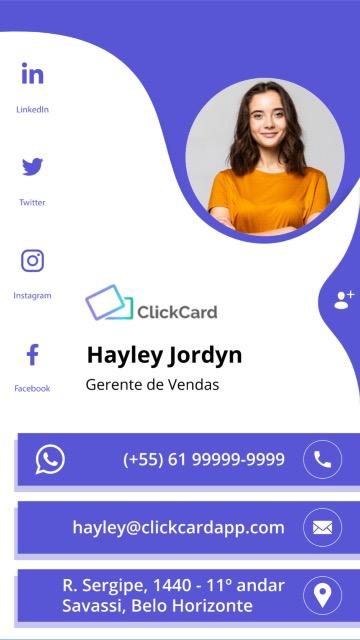
Used by the world's leading companies




















Advisors grow through referrals
Most new clients come through someone else, and most clients still want to meet in person, at least some of the time. Your card has to work across the table and travel well after the meeting.
88%
of US advisory practices rely on client referrals as a source of new business
Source: Kitces Research, 2026
54.2%
of US advisors' new clients come through referrals from clients, friends or family
Source: Cerulli Associates, 2026
69.2%
of US consumers who have worked with an advisor prefer to talk in person or in a hybrid mix
Source: MDRT, 2026
US figures. Kitces surveyed 506 advisory practices in 2026, Cerulli covers advisors across channels, and MDRT polled 2,000 people who work or have worked with an advisor.
From the review meeting to the referral
Six moments in an advisor's year where a digital card earns its place.
Client reviews
Share your card at a client's review, so the friend or relative they mention can reach you directly.
Seminars and workshops
Show your QR code on your last slide. Attendees save your details, and the ones who want a conversation leave theirs.
Referral partners
Send your card link to the accountants and attorneys who refer clients to you. When they pass it along, it shows your current details, even if your number has changed.
First meetings
Let a prospect scan your Contact QR code and save you to their phone before the meeting ends.
Email and client letters
Add your card link to your email signature, so every message carries your credentials and booking link.
Community and business events
Share by QR code or NFC card at chamber and community events, and scan the paper cards you're given.
Turn a first conversation into a booked meeting
Your card's lead form gives prospects a low-pressure way to raise their hand.
They open your card
From your QR code, a tap of your NFC card or the link in your email. It opens in any browser, with your credentials and a button to save your contact.
They say what they'd like to discuss
Add a dropdown with the topics you cover, under a headline you write, and ask only for the details you need to get back to them.
You follow up promptly
Each lead arrives in the app with a push alert and by email with a contact file. Mark it Contacted, then Won or Lost, and keep private notes as you go.
Book an intro meeting
- New
- Contacted
- Won
- Lost
What to put on a financial advisor's card
Clients look for credentials and a direct way to reach you.
- Your name and professional designations
- Your firm and job title
- A direct line and email
- Your office address
- A link to your website or booking page
- Any disclosure line your firm asks for, in your bio
- A form for intro-meeting requests
Your template sets which fields and how many links fit. If your firm reviews marketing materials, show it your card before you share it. When something changes, you edit the card and the same link and QR code show the update, with nothing to reprint. See how digital and paper cards compare.
The ClickCard features advisors use most
Each one is on the free plan unless it's marked Pro.
Easy to pass along
Your card's page has its own share button, so a client can pass your card to a friend or relative in one tap.
Change it once
New designation or new office? Edit your card and the update shows on the same link and QR code. Nothing to reprint.
Saved in one scan
Your Contact QR code downloads your details as a contact file, so a prospect saves you before the meeting ends.
Questions that qualify
Add a dropdown for the topics you cover, or a field for the best time to call: up to 12 fields under your own headline.
Your card in your phone's wallet
ProAdd it to Apple Wallet or Google Wallet and show your QR code from there, without opening the app.
256-bit AES encryption
The data in your ClickCard account is protected with 256-bit AES encryption and backed up every day.
Cards for every advisor at your firm
With a ClickCard company account, a firm runs every advisor's card from one dashboard.
Your firm's templates
Templates in your brand, designed with our team, so every advisor's card looks the way your firm expects.
Locked names and titles
Lock names and job titles, and preset the firm's details on the template so they can't be changed.
Single sign-on
Company accounts can sign in through your identity provider with SAML single sign-on, set up with our team.
Links that stay with the firm
When an advisor leaves, their card's link redirects to your company page, not a dead end.
Very satisfied with the technical support; they were very attentive. Great service.
Questions advisors ask
About credentials, firm review, referrals and cards for a whole practice.
Still have questions?
Can my firm review my digital business card before I share it?
Yes. Your card is a web page with its own link, so you can send it to your compliance team like any other material before you hand it out. If they ask for a change, edit the card and the same link and QR code show the update.
How do I show my professional designations on my card?
Add them after your name or in your job title, and use the short bio for anything longer, in the fields your template offers. An edit shows on your link and QR code right away.
Can clients book a meeting from my card?
Yes, if you add a booking link. Calendly is one of the links ClickCard supports, or you can put your own scheduling page in the website field. Clients tap it from your card.
Can an accountant or attorney pass my card on to a client?
Yes. Send them your card link: they can forward it, or use the share button on your card's page, and the client opens your card in any browser, with no app. The link always shows your current details, while a contact saved to a phone keeps the details it was saved with.
Can an advisory firm give every advisor a matching card?
Yes, with a company account. ClickCard designs templates in your firm's brand, admins create cards for everyone from a spreadsheet and can lock names and job titles, and company accounts can sign in with SAML single sign-on, set up with our team.
Make a card clients pass along
Free to start on iPhone, Android and the web. Your first card takes about five minutes.


Prefer the app? Get it on iOS and Android.
- 01 Free plan
- 02 AI card scanner
- 03 Lead forms