Digital business cards for consultants
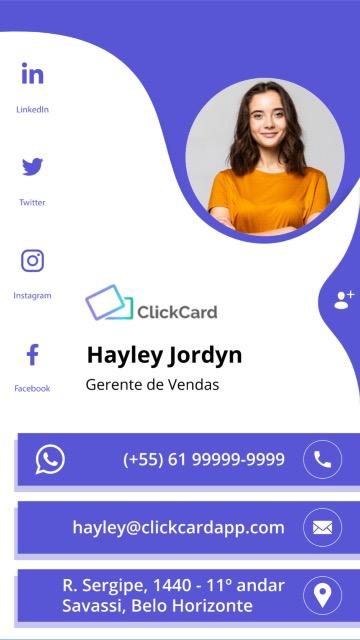
Put your expertise, LinkedIn and booking link on one card that prospects save in a scan. Share it on calls, at talks and in proposals, and let the people ready to talk leave their details in your lead form.
Free forever plan. No credit card required.
- 200K+Professionals
- 500+Companies
- 50+Countries
Used by the world's leading companies




















Consulting is won on relationships
Referrals bring in more leads than any other source, and clients often pick the firm they know best. Your card should make you easy to remember and easy to recommend.
39.5%
of professional services firms' leads come from referrals, nearly double the next biggest source
Source: Hinge Research Institute, 2026
52.4%
of high-growth professional services firms network at conferences, trade shows and events, the technique they use most
Source: Hinge Research Institute, 2026
34%
of consulting clients who turned a firm down said they had a stronger relationship with the firm that won
Source: Source Global Research, 2024
Hinge's figures come from 495 professional services firms, consulting among them. Source Global Research asked buyers of consulting why they hadn't hired a firm.
From the discovery call to the referral
Six moments where a consultant's card earns its place.
Discovery calls
Drop your card link in the chat, so a prospect has your details, your LinkedIn and your booking link before the call ends.
Talks and podcasts
Put your QR code on your last slide, or your card link in the show notes. The people who want a conversation leave their details.
Workshops and trainings
Share with a whole room in seconds: everyone scans one QR code, and nobody needs a stack of paper cards.
Networking and referrals
Tap a ClickCard NFC card or show your QR code. The people you meet can forward your card with the share button on its page.
Proposals and email
Add your card link to your signature, and send your card as a PDF with a proposal when a file works better than a link.
LinkedIn and newsletters
Link your card from your LinkedIn profile and posts, so readers who want to talk can reach you directly. Here's how to share it on LinkedIn.
Turn interest into a booked intro call
Your card's lead form lets prospects raise their hand without sitting through a pitch.
They find you
From your slide, your LinkedIn profile or a link a client forwarded, your card opens in their browser, with no app to install.
They tell you what they need
Ask what you'd ask on a first call, like their company size or the challenge they're facing, as dropdowns or text, under a headline you write.
You book the call
Each lead reaches the app with a push alert and your inbox with a contact file. Reply, call or send your booking link, then track it from New to Won.
Book an intro call
- New
- Contacted
- Won
- Lost
What to put on a consultant's card
Prospects want to know what you do, who you do it for and how to book you.
- Your name, photo and specialty
- Your firm or practice name
- A one-line positioning statement in your bio
- Email and a direct number
- A booking link, such as Calendly
- Your website or case studies page
- A lead form that asks about their challenge
Your template sets which fields and how many links fit, and you can change it whenever your offer does: the link and QR code stay the same. Working for yourself? Read why entrepreneurs go digital. Not sure what vCard or NFC means? See the glossary.
The ClickCard features consultants use most
Each one is on the free plan unless it's marked Pro.
LinkedIn, Calendly and Zoom
Choose your links from 30+ networks and apps, including LinkedIn, Calendly, Zoom and WhatsApp. Your template sets how many fit.
A card for each practice
Run more than one offer or brand? Keep separate cards and switch between them: 2 on the free plan, 10 with Pro.
A link with your name
ProSwap the automatic link for one you choose, like clickcard.me/yourname, easy to say on a podcast or put on a slide.
Questions that qualify
Add your own text, dropdown or long-text questions, up to 12 fields, and write the headline prospects see.
Your card as a PDF
Send your card as a PDF or an image with a proposal when a file works better than a link.
Compare your cards
ProSee visitors and leads for each card, or all of them together, to learn which offer draws the most interest.
Cards for every consultant at your firm
With a ClickCard company account, a firm runs everyone's card from one dashboard.
Your firm's templates
Templates in your brand, designed with our team, and limited to one practice if each has its own design.
Groups by practice or office
Organize people by practice, office or region, then use the groups for templates and analytics.
Company analytics
Card views, unique visitors, contact saves and leads for the whole firm, each compared with the period before.
Links that outlast a move
When a consultant leaves, their card's link redirects to your company page instead of a dead end.
I love making my own personalized digital business cards in this app. The team and support are also amazing!
Questions consultants ask
About sharing online, booking calls and cards for a whole firm.
Still have questions?
Can prospects book a call straight from my card?
Yes. Add Calendly as one of your links, or put your own booking page in the website field, and prospects tap it from your card. Your lead form also lets them leave their details if they'd rather you reach out.
How do I share my digital business card on a video call?
Paste your card link in the meeting chat, or hold your QR code up to the camera for them to scan. Either way, they open your card in their browser and can save your contact in one tap.
Can I have separate cards for my consulting practice and my other work?
Yes. One account holds 2 cards on the free plan and 10 with Pro, each with its own design, details, links and QR code.
Can I send my card with a proposal?
Yes. Attach your card as a PDF or an image, or put your card link in the email so the client can open it and save your details in one tap. The link always shows your current details, while a PDF shows them as they were when you made it.
Does ClickCard work for a consulting firm, not just solo consultants?
Yes, with a company account: templates in your firm's brand, cards for everyone from a spreadsheet, groups by practice or office and firm-wide analytics.
More on sharing your card
- Sharing
How to share your digital business card on LinkedIn
- Entrepreneurs
Digital business card for entrepreneurs: 8 key benefits
- Sharing
How to share your digital business card on WhatsApp
- Step by step
How to create a digital business card in 5 minutes
- Digital business cards for real estate agents
- Digital business cards for sales professionals
- Digital business cards for healthcare professionals
- Digital business cards for financial advisors
- Digital business cards for lawyers
- Digital business cards for every industry
- The complete guide to digital business cards
Make your card before your next call
Free to start on iPhone, Android and the web. Your first card takes about five minutes.


Prefer the app? Get it on iOS and Android.
- 01 Free plan
- 02 AI card scanner
- 03 Lead forms