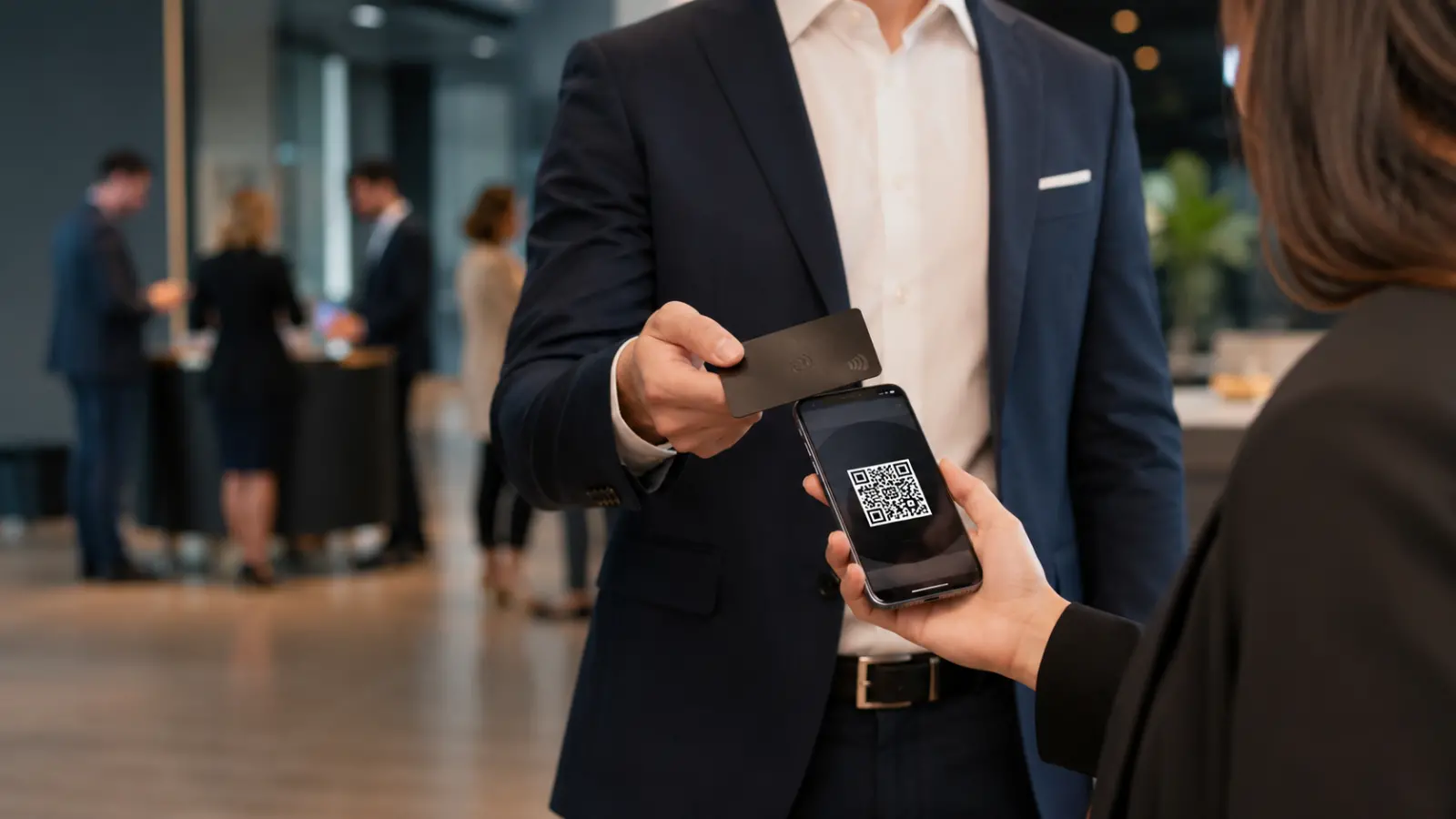
NFC vs QR Code Business Cards: Which One Should You Use?
Choosing between an NFC business card and a QR code business card sounds like a tech decision, but it is really a people decision.
How will the other person receive your information fastest?
Will they understand what to do?
Are you sharing with one person across a table, or with fifty people at a conference?
Are you handing someone a physical card, showing your phone, adding a code to a flyer, or putting your card in an email signature?
Both NFC and QR codes can be excellent ways to share a digital business card. The better choice depends on the moment. NFC feels smooth and premium in person. QR codes are more universal and easier to use across screens, print, events, and email.
The strongest setup is usually not choosing one forever. It is building one digital profile that can be shared in more than one way.

The main difference is how someone opens your contact information. An NFC business card uses a small contactless chip. When someone taps a compatible phone near the card, your digital profile opens. A QR code business card uses a scannable code. The other person opens their phone camera, points it at the code, and taps the link that appears. NFC is usually faster in a one on one conversation because it feels like a simple tap. QR codes are more flexible because they work on phones, printed materials, presentations, signs, email signatures, and websites. NFC is best when you are physically close to someone. QR is best when you want the easiest option for the widest number of people. For most professionals, the smartest approach is to use one digital business card and make it shareable through both NFC and QR.
Category | NFC business card | QR code business card |
|---|
How it works | Someone taps a compatible phone near an NFC card or tag | Someone scans a visible QR code with their phone camera |
Best for | One on one networking, sales meetings, conferences, premium first impressions | Events, email signatures, flyers, presentations, websites, group sharing |
User experience | Fast and memorable when the person knows where to tap | Familiar and easy because most people know how to scan a QR code |
Distance | Works only at very close range | Can work from farther away if the code is large and clear |
Physical card needed | Usually yes, unless NFC is built into another device or accessory | No, it can be shown on a phone, printed, or displayed on a screen |
Design feel | More premium and modern | More practical and universal |
Best weakness to fix | Add a QR code as a backup | Pair it with a strong design and clear call to action |
Best overall use | Great for in person moments where first impressions matter | Great for maximum reach and flexible sharing |

An NFC business card is the better choice when the interaction is personal, close, and high value.
Think about a sales conversation, a trade show booth, a real estate showing, a recruiting event, or a meeting with a potential client. In those moments, the tap itself can become part of the experience. It feels current. It is fast. It can make someone pause and remember you.
NFC also works well when you want the feel of a physical card without the main weakness of paper. A paper card gets outdated the moment your title, phone number, website, or brand changes. An NFC card can point to a digital profile that can be updated later.
That said, NFC should not be treated like magic. It still depends on the other person using a compatible phone and tapping in the right area. Android Developers describes NFC as a short range wireless technology that typically requires four centimeters or less to initiate a connection.
The practical advice is simple: use NFC when you want a premium in person moment, but keep a QR code ready for anyone who prefers scanning.
A QR code business card is the better choice when reach matters more than the tap experience.
QR codes work especially well when your card needs to be seen by more than one person at a time. You can place a QR code on a presentation slide, an event booth, a mailer, a brochure, a sign, a menu, an email signature, a social post, or a printed flyer.
That makes QR codes extremely useful for professionals who network in more than one environment.
A speaker can put a QR code on the final slide of a presentation.
A realtor can place a QR code on an open house sign in sheet or property flyer.
A sales team can add QR codes to booth materials.
A consultant can include a QR code in a proposal.
A business owner can place one at the front desk.
QR codes are not as flashy as NFC, but they are dependable. They are easy to understand. They scale beyond one person standing in front of you.
For many professionals, QR is the daily workhorse. NFC is the polished in person layer.
Yes, NFC business cards can work on many iPhone and Android devices, but the experience can vary by phone model, software, and how the NFC tag is set up.
Apple’s Core NFC documentation describes support for reading NFC tags with NDEF messages, and Apple also documents background tag reading for supported iPhones, which lets the system scan NFC tags without the user opening a separate scanning app.
Android also supports NFC tag reading. Android Developers explains that NFC can share small payloads of data between an NFC tag and an Android powered device, or between two Android powered devices.
In plain English, NFC business cards are no longer some strange edge case. They are a normal contactless sharing method on many modern smartphones.
The one thing to remember is that NFC can still create a small learning curve. Some people know exactly where to tap. Others do not. That is why the smoothest networking experience usually gives the recipient another option.
A good line to use is:
“You can tap the card, or scan the QR code if that is easier.”
That keeps the moment simple.
Yes, QR code business cards work on iPhone and Android.
Apple explains that iPhone users can scan QR codes with the Camera app or Code Scanner and then tap the link that appears. Google’s Camera documentation also explains that users can point the camera at a QR code and tap the banner that appears to open the destination.
This is why QR codes remain so valuable. The recipient does not need to understand NFC. They do not need your app. They do not need a physical card. They just need a phone camera.
QR codes also work better when the sharing moment is not face to face. If someone sees your card on a flyer, website, screen, email, or sign, NFC is not useful. A QR code is.
The best QR code business cards are clear, well sized, and paired with a short instruction. Do not just drop a code onto a design and hope people understand it. Add a simple phrase like:
“Scan to save my contact.”
“Scan to connect.”
“Scan for my digital business card.”
Small context improves trust and scan rates.

NFC usually feels more premium. QR usually feels more practical.
That does not mean NFC is automatically more professional.
A beautiful NFC card that opens a weak profile is not impressive. A clean QR code that opens a sharp, complete, well branded digital profile can feel very professional.
The real test is what happens after the tap or scan.
Can the person quickly understand who you are?
Can they save your contact?
Can they visit your website?
Can they see your company, social links, portfolio, booking page, or next step?
Can they follow up without searching for you later?
A business card is not valuable because it is made of paper, plastic, metal, wood, or pixels. It is valuable because it helps someone remember you and act on the connection.
NFC can create a better first impression. QR can create a more flexible sharing path. The digital profile behind both is what determines whether the card actually works.
QR codes are usually easier for broad team rollout because they can be used almost anywhere. NFC cards are useful for team members who spend a lot of time in person with prospects, clients, patients, guests, or partners.
For companies, the bigger issue is not the sharing method. It is management.
A team with paper cards has the same problems over and over. Someone changes roles. Someone gets a new phone number. A logo changes. A new brand guideline comes out. A batch of cards becomes outdated before the box is finished.
Digital cards solve that problem because the profile can be updated without reprinting the whole card.
For teams, the ideal setup usually includes:
A standard company card template
QR codes for every employee
NFC cards for employees who network in person often
Admin control over brand fields
A clear process for updating titles, links, and contact details
Analytics so the company can understand engagement
ClickCard’s site describes a digital business card as a live profile that can be shared by QR code, NFC tap, link, or email, and notes that recipients can open it without installing an app. That recipient experience matters for teams because every extra step lowers adoption.
A digital business card should be simple enough to scan quickly and complete enough to make follow up easy.
Start with the essentials:
Full name
Job title
Company name
Phone number
Email address
Website
Profile photo or logo
Key social links
Save contact option
One clear call to action
The call to action is where many digital cards get weak. A card should not be a random pile of links. It should guide the person toward the next best step.
For a realtor, that could be “View current listings” or “Request a home valuation.”
For a consultant, it could be “Book a discovery call.”
For a sales rep, it could be “Schedule a demo.”
For a creator, it could be “View my portfolio.”
For a local business, it could be “Leave a review” or “Book an appointment.”
The best card does not make people think too hard. It answers the question, “What should I do next?”
Choose NFC if most of your networking happens in person and you want the exchange to feel polished.
Choose QR if you need the most flexible sharing method across phones, screens, print, and online channels.
Choose both if you want the fewest missed opportunities.
That is the most useful answer for most professionals. The world is not split into NFC moments and QR moments. Real networking is messier than that. Sometimes you are across a table. Sometimes you are on a stage. Sometimes you are sending a follow up email. Sometimes someone asks for your information while you are walking out the door.
The more ways you can share the same profile, the easier it is for the other person to say yes.
The goal is not to look technical. The goal is to make saving your information effortless.

ClickCard is built for professionals who do not want to choose one sharing method and be stuck with it.
You create one digital business card, then share it through QR code, NFC, link, email, Apple Wallet, Google Wallet, and other everyday channels. The person receiving your card can open it in their browser without needing to download ClickCard first. ClickCard’s guide also describes wallet sharing through Apple Wallet and Google Wallet as one of the main ways to access and share a card quickly.
That matters because different situations call for different behavior.
At a conference, you may use NFC while talking one on one.
On a slide, you may use a QR code.
In an email signature, you may use your card link.
At an event, you may pull the card from your phone wallet.
Your profile stays the same, but the sharing method adapts to the moment.
For a deeper overview of how digital cards work, read our complete digital business card guide.
Here are the FAQ answers worth adding to the page schema.
What is better, an NFC business card or a QR code business card?
NFC is better for premium in person sharing. QR codes are better for universal access across phones, screens, print, and email. Most professionals benefit from using both.
Do recipients need an app to receive my digital business card?
No. A good digital business card opens in the recipient’s browser through a QR code, NFC tap, or link.
Are NFC business cards worth it?
NFC business cards are worth it if you meet people in person often and want a faster, more memorable way to share your information.
Are QR code business cards still useful?
Yes. QR code business cards are still one of the most reliable ways to share contact details because they work on phones, signs, flyers, presentations, and email signatures.
Can one digital business card use both NFC and QR?
Yes. One digital business card can be shared through both NFC and QR when the platform supports both methods.
If you are choosing for one specific moment, the answer is simple.
For a close, in person conversation, NFC feels better.
For reach, flexibility, and universal access, QR is better.
For a professional networking system, use both.
The best business card is not the one with the newest sharing method. It is the one people actually save, remember, and use when they want to follow up.
Create one digital profile. Make it easy to scan. Make it easy to tap. Make it easy to save.
That is the real upgrade.