How to create your digital business card on ClickCard
Create and share digital business cards with ClickCard. Organize professional contacts and boost your networking easily through the app!

In today's digital era, professional relationships have evolved rapidly. Handing someone a piece of paper that will likely be forgotten in a drawer is no longer enough. Today, to build solid networking, you need smart tools.
That's exactly why the digital business card has become indispensable. It's a modern, cost-effective, and sustainable option that allows professionals to develop more meaningful and instant relationships.
In this article, we'll show you how to create your digital business card through the ClickCard app and how to use our features to generate real, measurable connections.
The impact of the digital business card on your networking
The impact of digital cards goes far beyond avoiding excessive paper printing and protecting the environment. They give professionals an interactive and effective way to showcase their qualifications, portfolios, and social networks in one place.
More than that: they make it easy to save professional contacts. With a simple tap or QR Code scan, your information goes straight into your client's or partner's smartphone address book, reducing friction and ensuring your connections are never lost.
How to create your digital business card on ClickCard: Step by Step
So that our users have full autonomy, ClickCard offers two main ways to create a card:
Through the ClickCard app: Using dozens of pre-formatted templates (free and Premium).
Through our creative team: For companies that want a 100% exclusive and corporate design.
Both options allow the card to be easily edited by the user directly on their phone.
See how simple it is to create yours right now through our app:
Step 1: Download the app
The first step is to download the ClickCard app, available for free on the major stores.
Step 2: Create your account
When you open the app, sign up by filling in the fields with your email and password. Then register your basic information, such as: name, role, and the company you represent.
Step 3: Choose a template and personalize
You'll have access to several templates with intuitive designs. Pick the one that best matches your profile.
(Note: Don't forget to fill in the required field with your name or your company's name).
Here, you'll add your personal touch! Insert your profile picture or your business logo, choose colors that reflect your visual identity, and update your contact details (mobile, email, etc.).

Step 4: Add your links and social networks
Last but not least, select the social networks and external links (such as your website or portfolio) you want to display. The people you share your card with will be able to access all your digital media in a single click.

Ta-da! Your ClickCard is ready. Now you can start sharing it and easily add people to your contact list!

Exclusive Advantages: Far beyond creation
The ClickCard app is not just a "card creator". It's an ecosystem designed to amplify your connections.
As soon as your card is ready, the app links your address book and helps organize your professional contacts. But our biggest differentiator lies in data intelligence:
Metrics-based Networking
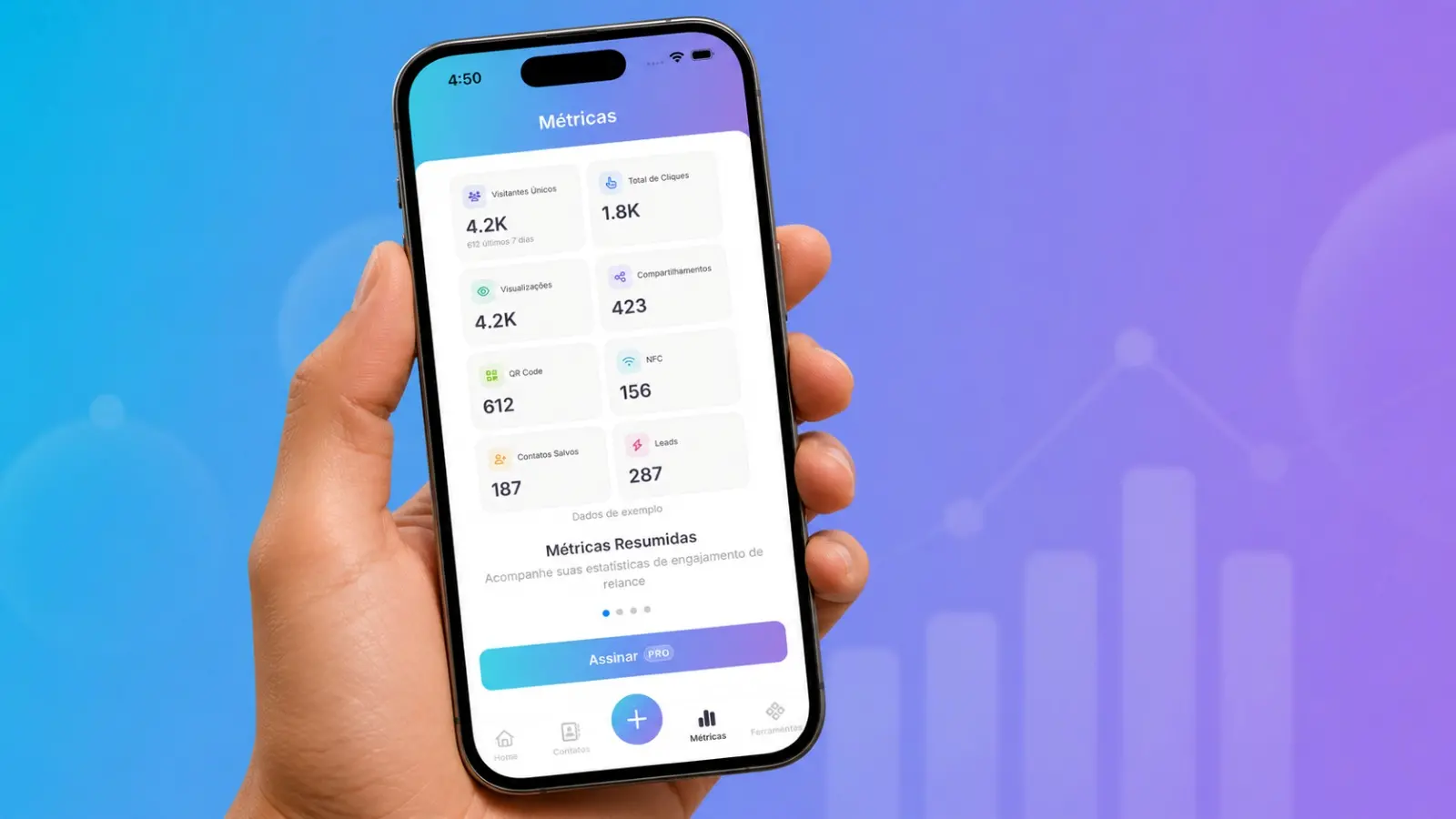
Every ClickCard user can see how many people are accessing their card and which links are receiving the most clicks.
Let's look at a practical example:
Imagine you went to a networking event and shared your card via NFC or QR Code with 50 people. The next day, you check the metrics screen in the ClickCard app and notice that 30 of those people opened your LinkedIn profile.
What does that mean? To nurture these new connections, you should focus on posting relevant content on your LinkedIn over the next few days, because that's where your new audience is paying attention.
ClickCard turns guesswork-based networking into a strategy based on real data.
Conclusion: Upgrade the way you connect!
Digital business cards are the definitive innovation in professional networking. They make the work of expanding your network of contacts more agile, sustainable, and efficient than ever.
Don't lose a business opportunity for not having a paper card in your pocket. Download the ClickCard app today, create your digital business card, and start building connections that really matter!